
Launch Special: Free Expert Setup for Limited Users Only. Get your AI fully configured and ready to go with our 1-on-1 expert assistance. Dismiss

  • Features
  • Pricing
  • Log in / Sign up
  • Help
    • Help Center
    • About Us
    • Terms Of Service
    • Privacy Policy

Process Overview

How Quasz AI Works 24/7 For Chats

Receiving Messages
1

Receiving Messages

Receive messages and pre-analyze images and files.

AI Generation & Validation
2

AI Generation & Validation

AI reads chat history, user profile, and instructions to generate responses. System validates and regenerates if needed.

Actions Execution
3

Actions Execution

Execute AI actions included with send messages, process orders, book services, escalate to human, call external APIs, and more.

Message Response & Activity Record
4

Message Response & Activity Record

Send AI responses to end users and record activities such as order details, issue tracking, and more per client's configurations.

LINE AI Agent Abilities

Abilities & Use Cases

Super Database Engine
You can upload a large product spreadsheet to Quasz's Smart Knowledge Base. No matter how big your data is, 1k products, 10k products or even 100k products, all can be handled effortlessly. AI uses only necessary datas, no need to read the whole catalog, save your token cost a lot.
Supported Messages Types
For input message, support all types included with text, image, file, audio, video and location. For output message, support text, image and file URLs.
Available For LINE Group
Become a member of LINE Group and response to anyone question
Request Human Agent
AI can request human agent when context conditions meet configured escalation rules. A request will be displayed in admin dashboard with user profile and issue detail.
Create Order
AI can proceed order with standard ordering process, included with product/service inquiries, shopping cart updates, billing & shipping detail collection, payment information and order submission.
Super Sales Agent
What if your sales can remember 10k products? With quasz database engine, your AI can choose the right products for customer or even similar ones. Every details of products are in context, provide the best guidelines like prices, using, warranty or else. Complex tasks done like magic.
Request Extenal API
Request API per admin configuration. AI can enclose the request with business data, user data and AI generated data
Analyze User Data
You can instruct AI to read user's chat history and profile, then save into user database, or export it by API request. This is a useful technique to get user insight.
Send Email
You can set AI to write message for sending email via API request. A good choice for connecting with users.
Transaction Verification
AI can read image and document to pre-check important data. It can also send file data via API to external verification service.
Sign up now

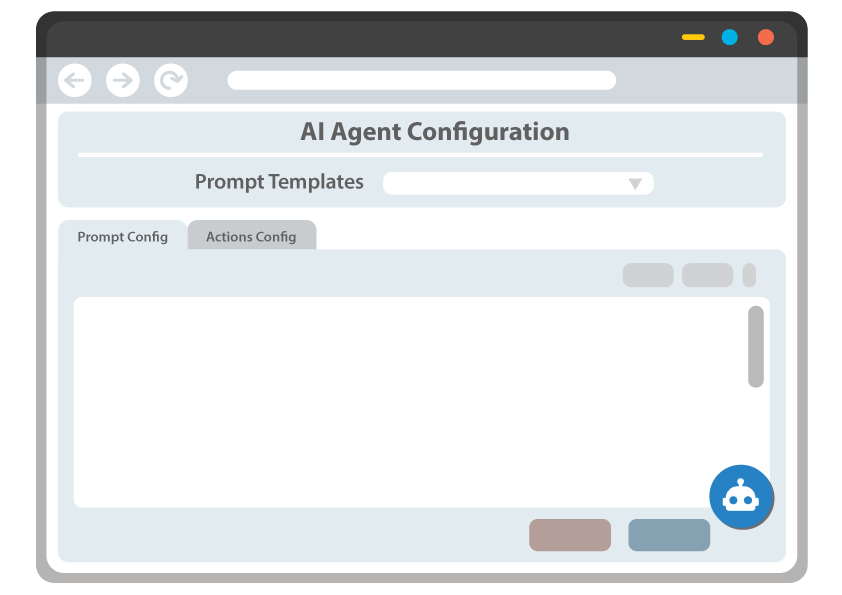
AI Agent Configuration UI

Easy Prompt Tools

  • Flexible Richtext Editor

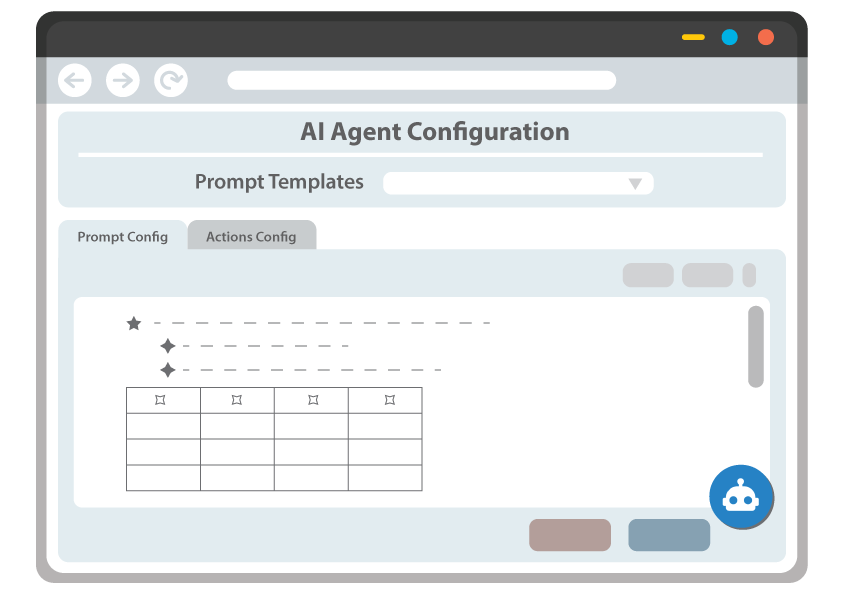
Edit your prompt with a versatile text editor supporting Visual, Markdown, and HTML modes. Copy and paste directly from spreadsheets (MS Excel / Google Sheets) and documents (MS Word / Google Docs) — tables and formatting are automatically cleaned up.

  • Actions Configured As Cards

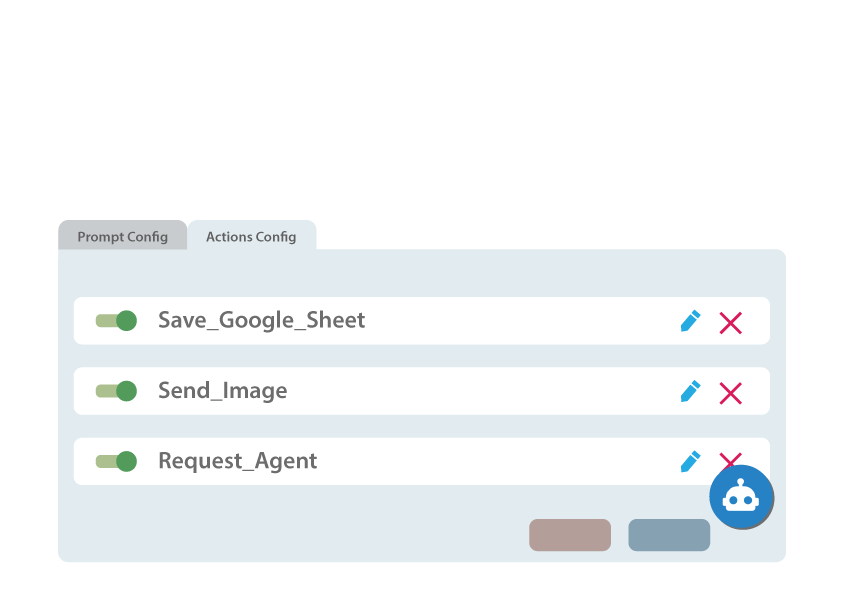
Build interactive action cards for your chatbot — display carts, process orders, send images, and more. Add, edit, remove, or attach addon cards to customize every response your AI delivers.

  • Starting Prompt Templates

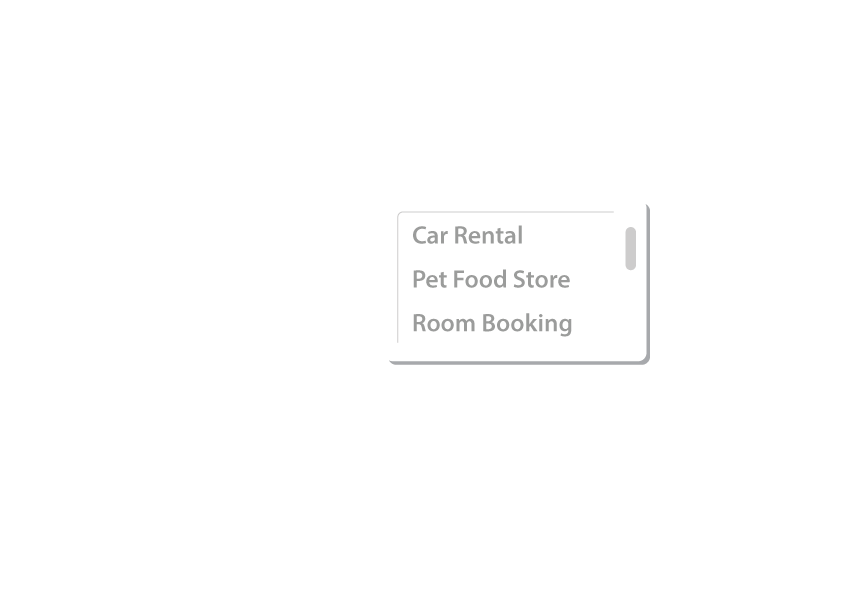
Choose a ready-made prompt template that matches your business type — e-commerce, hotel, restaurant, and more. Preview, apply, and customize well-structured prompts and action cards to get started fast.

Configuration Assisted By AI

AI Assistant For Setup

  • Built-in AI Chat Helper

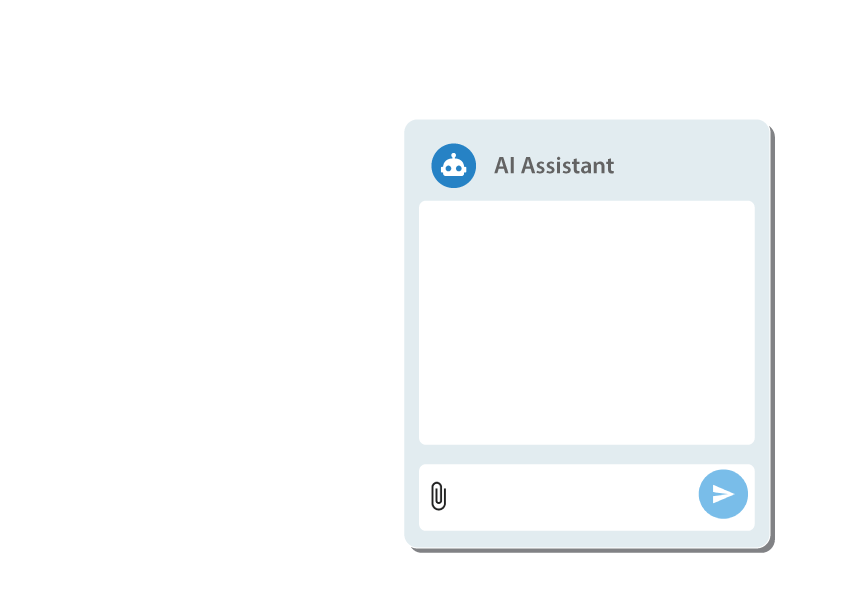
Get instant answers and configuration suggestions right from the chat panel. Ask questions, request changes, and let the AI assistant guide you through setting up your chatbot, no technical expertise needed.

  • Review & Apply Proposals

The assistant doesn’t just advise, it proposes ready-to-apply changes to your configuration. Review the exact changes in a clear dialog, then accept or reject with one click.

  • Upload Files, Build Configs

Upload product catalogs, spreadsheets, PDFs, or images directly in the chat. The AI reads and analyzes your files, then helps turn them into structured prompts, product lists, and card configurations — saving hours of manual work.

Chat Control For Admins

Work Together With Your AI In Original LINE OA Interface

Control AI By Browser Extension
Use extension to control AI while working in LINE OA browser. Let you access useful features of LINE OA that you familiar with.
Easy Take Over Or Switch Back
Admin takes over the chat from AI by just sending message via LINE OA chatbox, then AI stop response and pass job back to admin. Admin can switch to AI again anytime.
Sync Admin Chats & AI Chats
Auto synchronize admin messages after sending. Support every message types such as text, flex, image, audio, file and location. AI will not miss what you sent during your take over
Multiple Admins Supported
Quasz is designed to support multiple admin operations. Every admins use the same resources, no confliction, works smoothly.
Selective AI Responsibility
In partial mode, you can choose which users will be responsed by AI. Keep someone away from AI as your choice.
Update Old Chat History To AI
Worry free for old user's chat history possibly not updated to AI context. You can use the extension to handle this job just one click.
Monitor AI Activities
Access admin dashboard to monitor AI status and activities included with issue tracking, order/booking list and user profiles
Orders/Bookings Export
In admin dashboard, orders/bookings created by AI can be monitored and export as spreadsheet, useful for your business.
Sign up now

System & Security

Engineered for Reliability & Trust

Google Cloud Ecosystem

Our system running on world-class infrastructure for maximum speed and uptime, ready for any hugh load. Google cloud is built for AI that comes with amazing AI development tools

Enterprise-Grade Security

End-to-end encrypted for every data transfers to ensure total privacy. Quasz WILL NOT share user information to 3rd-party or any AI companies to train their models. Learn more details at menu Help > Privacy Policy

Powered by Gemini AI

Driven by the core engine of modern artificial intelligence. Quasz currently uses model 2.5 which is high reliable and quality. We also have planned to introduce model 3.0 - 3.1 for your choices in upcoming time.

Vector Database

We integrated Gemini with the highest efficient AI Vector Database to arrange customer's data to be AI knowledge base.

Quick Links

  • Features
  • Pricing
  • Log in / Sign up
  • Help
    • Help Center
    • About Us
    • Terms Of Service
    • Privacy Policy
Add Friend & Test Quasz AI

https://lin.ee/QANYftI

© 2025 — Quasz. All Rights Reserved.

We use cookies to improve your experience. By using our site, you agree to our Privacy Policy.

English
ไทย